
Saved addresses and delivery instructions
Save home, work or wherever you order often, with instructions for the driver, and pick them with one tap in the cart.
How it works
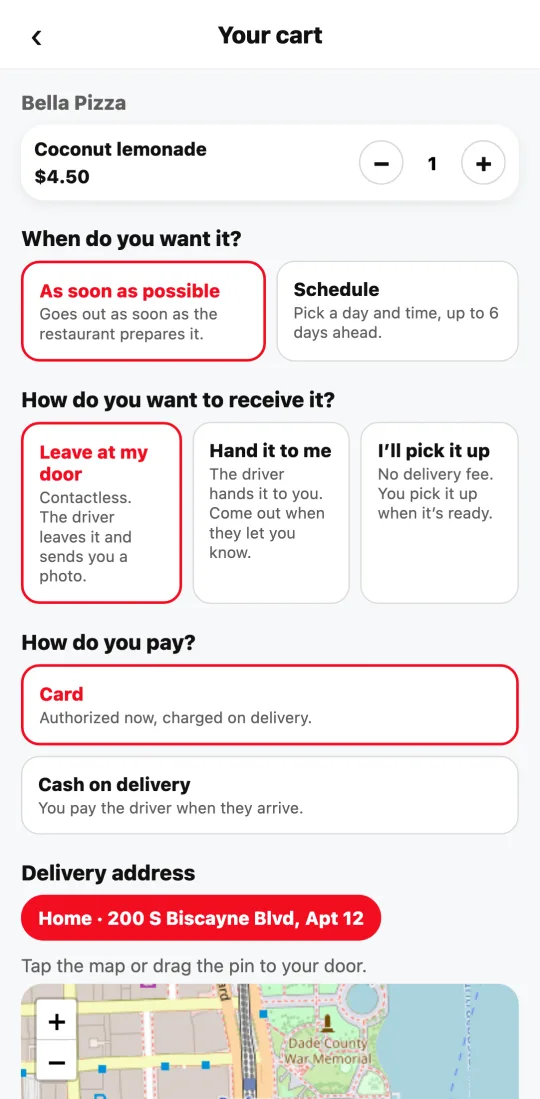
In the cart, under “Address”, your saved addresses show as buttons (Home, Work…). Tapping one fills in the address, the map pin, the instructions and how you prefer to receive.
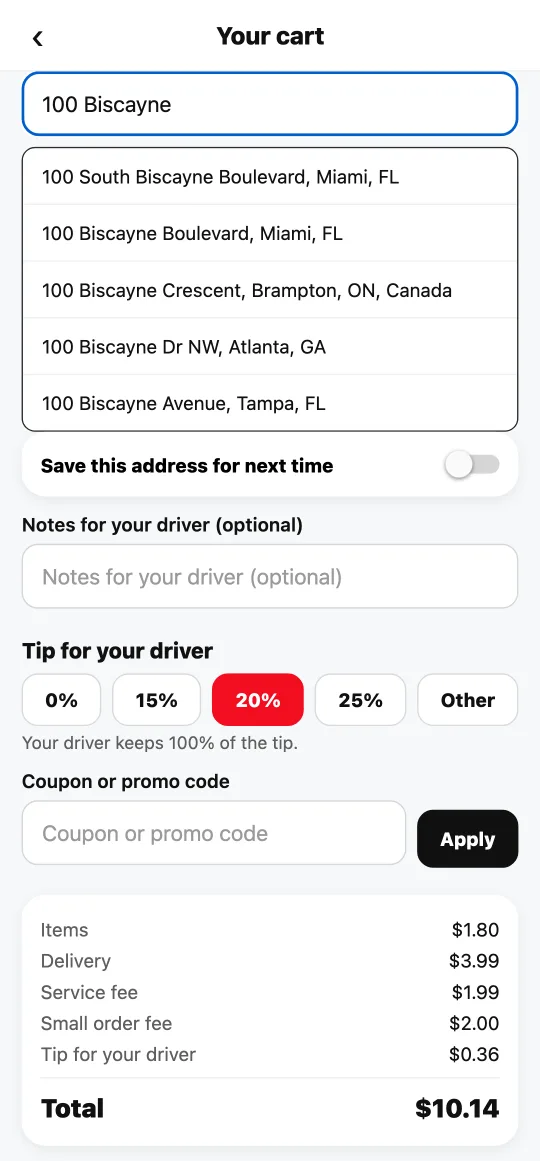
To save a new one, turn on “Save this address for next time” before paying and give it a name. The instructions you write under “Notes” (gate, floor, doorbell) are saved with it.
You can keep up to ten. The same address isn’t duplicated: it’s updated.
If you live in a building, write the apartment, floor or tower name in its own field, “Apt, suite or floor”. The driver sees it with the address and it’s saved with it.
As you type a new address, real address suggestions appear. Tap yours: the map pin lands right at your door and the driver gets there without getting lost. It works in the cart, in your saved addresses and when you change an order’s address.
Steps
- Type the address in the cart and tap the suggestion that matches yours; add the notes.
- Turn on “Save this address for next time” and name it.
- Next time, tap it under “Your addresses”.
This guide answers
- How do I save my address?
- Can I add instructions for the driver?