
Your customers’ reviews and how to reply
Under Reviews you see what each customer rated and wrote, and you reply publicly. The customer sees your reply in their order.
How it works
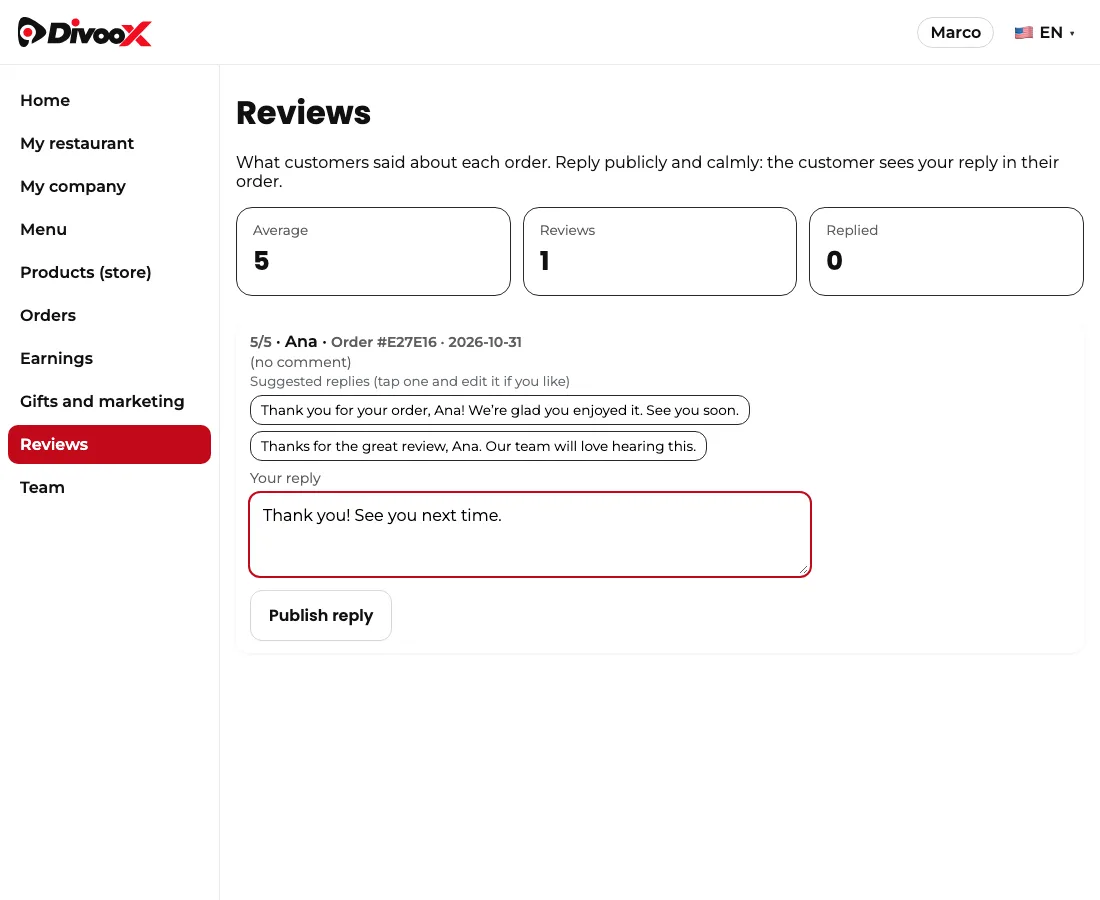
Open Reviews in the panel menu. At the top you see your average, how many reviews you have and how many you replied to. Each review shows the stars, the comment, the customer’s first name and the order number.
Tap “Reply”, write calmly and tap “Publish reply”. It’s published once and the customer sees it in that order’s details.
Once you have 10 or more ratings, your average and your latest reviews with comments, along with your replies, appear on your store page for every customer. Until then you show as “New”.
To go faster, above the box there are suggested replies based on the stars, with the customer’s name: tap one, change it if you want and publish it.
When the customer marked that the driver wasn’t at fault for a low rating, you see it noted.
The owner and managers can reply; staff can only read them.
Steps
- Panel menu → Reviews, or in the restaurant app: More → Reviews.
- In the restaurant app, the More tab opens your restaurant details, earnings, team and account settings (password, sign out and delete account) right inside the app.
- Tap “Reply” on the review (or type your reply in the app) and publish.
This guide answers
- Where do I see my reviews?
- Can I reply to a customer?