
Divoox Flex: cash on delivery in Venezuela
The driver collects on delivery, records how the customer paid, and your company receives the cash when the route closes. Everything is logged, package by package.
How it works
In Venezuela many customers pay when they receive. With Divoox Flex you set the amount to collect on each shipment, in dollars or bolívares, when you create it or from your spreadsheet (the “cobro” column). The label shows it in large letters.
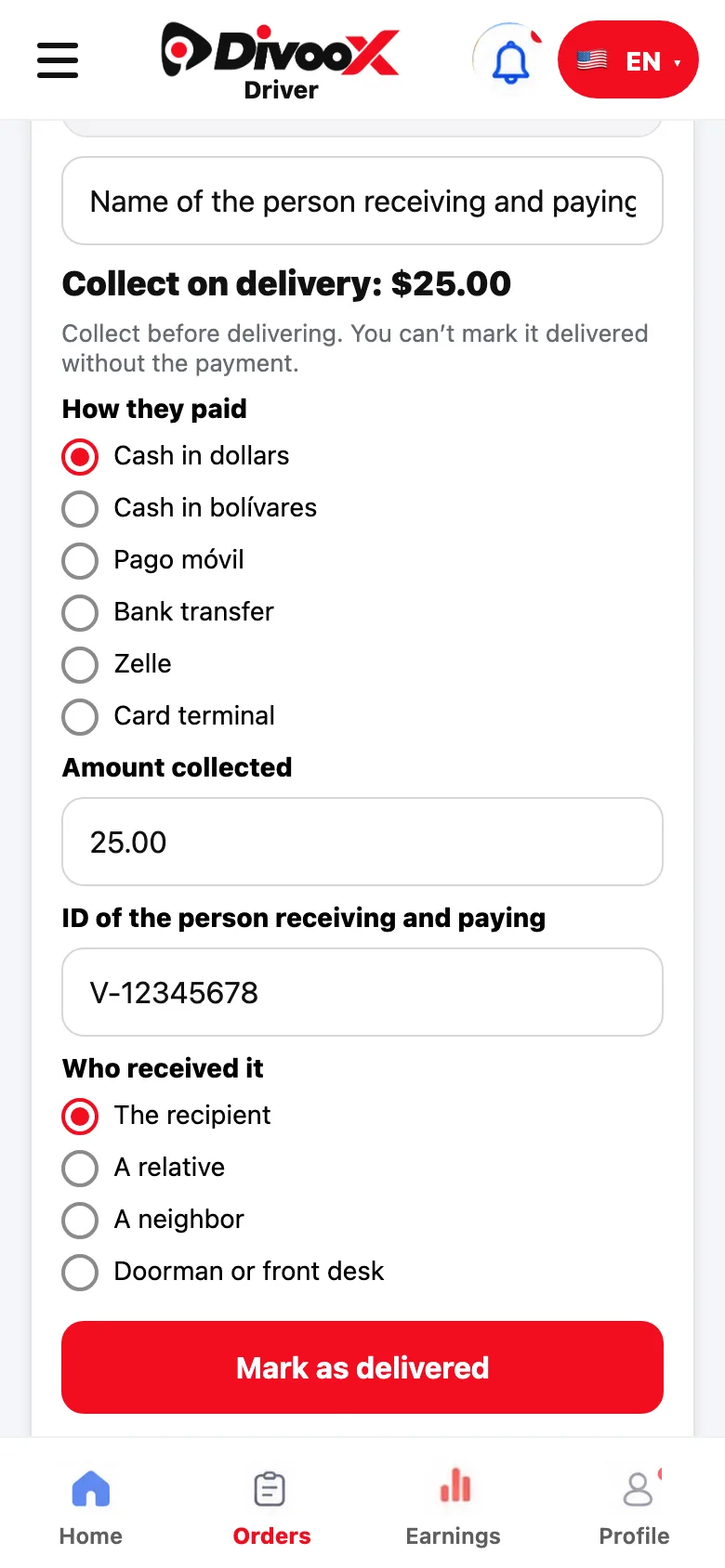
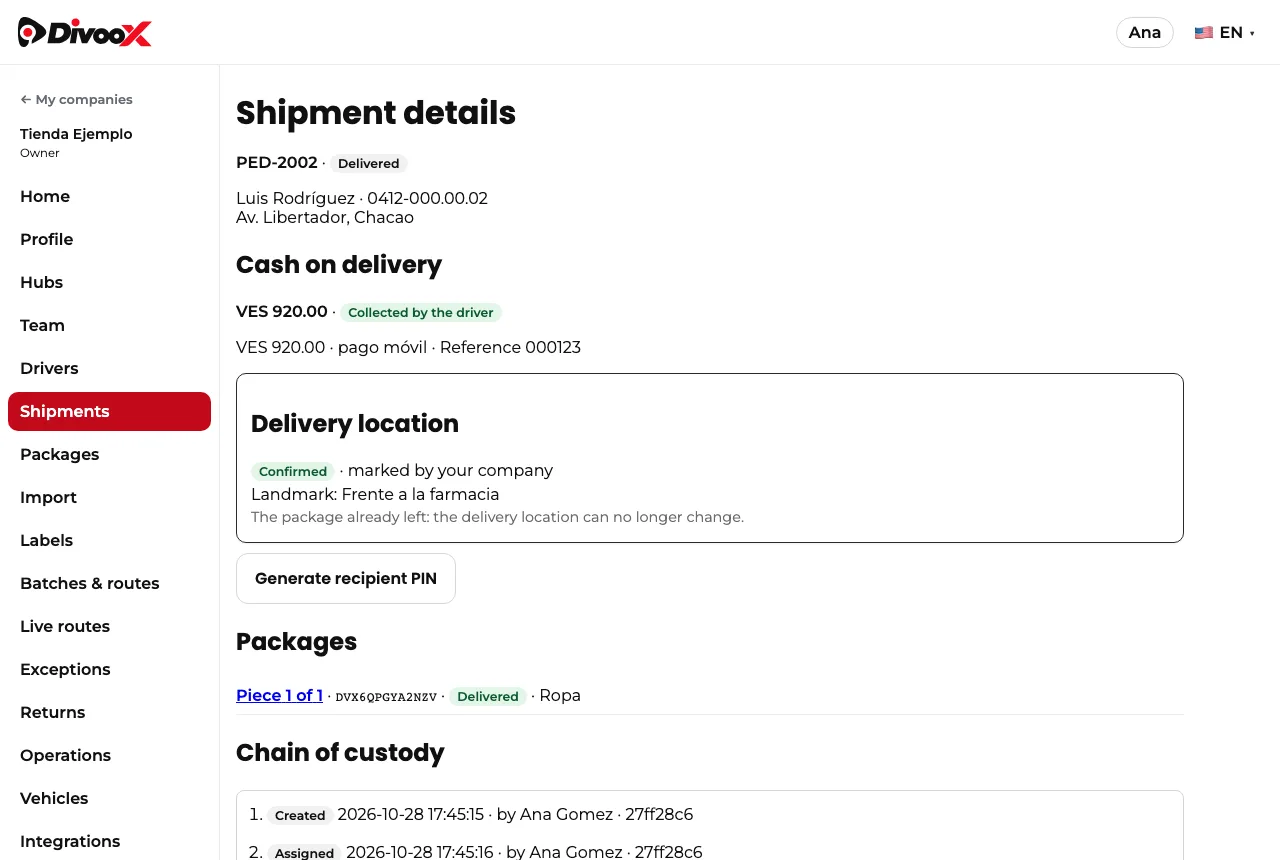
At the door, the driver can’t mark the package delivered without recording the payment: how the customer paid (cash in dollars or bolívares, pago móvil, bank transfer, Zelle or card terminal), the amount, the payment reference for digital methods, and the name and ID of the person receiving and paying. When money is involved, a package is never left without contact.
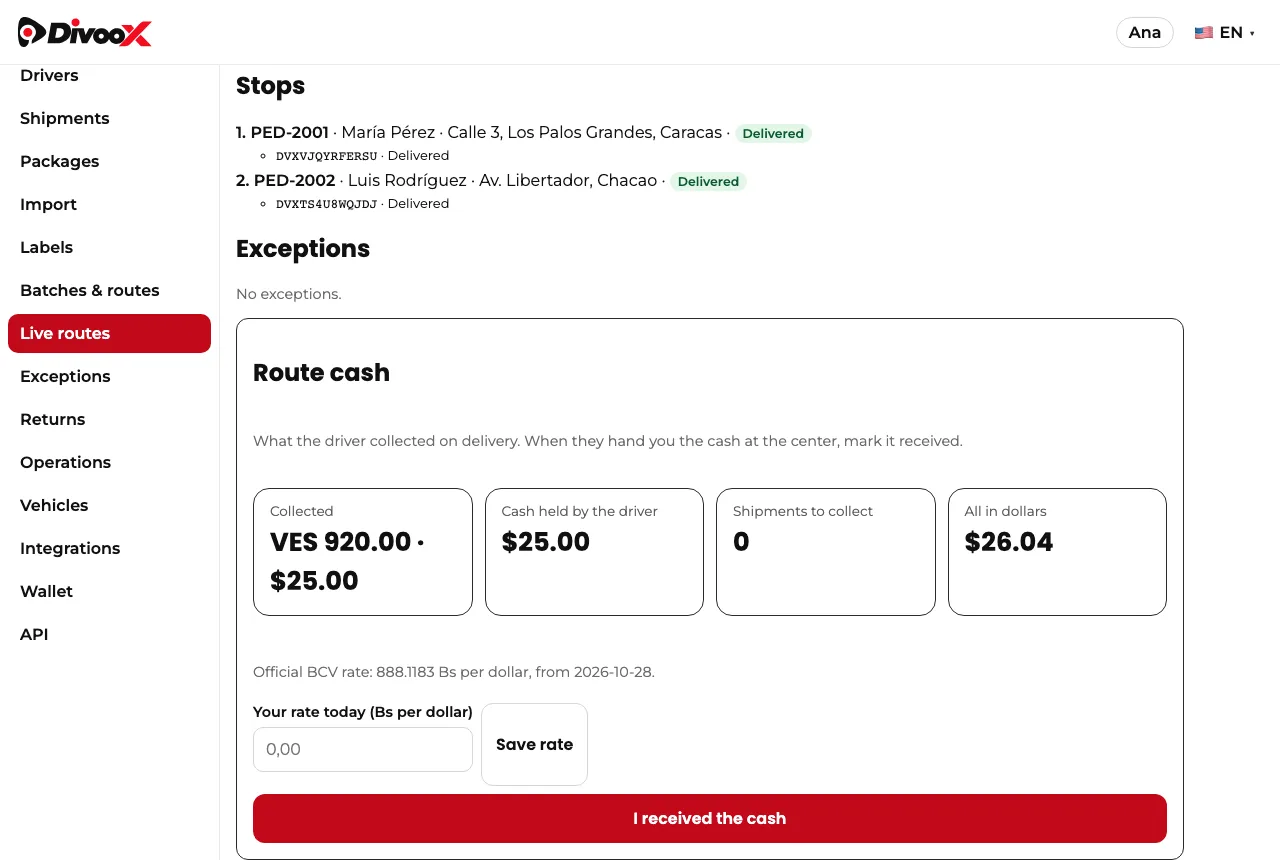
The driver sees in their app the cash they’re carrying. Back at the center they hand it to you and you tap “I received the cash” in the route cash panel. It happens only once and stays in your company history with your name.
Divoox doesn’t touch that money: the payment is between your customer and your company. Divoox records it so you always know how much was collected, how, and how much is still on its way to the center.
If you collect in dollars and bolívares, the cash panel also shows everything in dollars using the Central Bank’s official rate for that day. If your company uses another rate, enter it in the cash panel and it applies that day.
Each country works its own way. Cash on delivery is available in Venezuela; it isn’t used in the United States.
Steps
- When you create the shipment, enter the amount in “Collect on delivery” and choose the currency.
- The driver records the payment on delivery: method, amount, reference and the payer’s ID.
- In “Routes”, open the route and check “Route cash”.
- When the driver hands you the cash, tap “I received the cash”.
This guide answers
- How do I collect on delivery in Venezuela?
- Which payment methods can the driver record?
- How do I know how much cash the driver is carrying?
- Does Divoox keep the money collected?